
Enter a patent claim
Paste a single claim, including the preamble.
Review & edit the breakdown
Parts
Steps
Constraints
Visual representation
Left: every part and step, once. Right: constraints grouped by the element they describe — e.g. all constraints about S1 cluster together, connecting S1 to whatever it relates to.
Export table
Each section shows that part of the visualization followed by its table — a blank Notes column is included for your invalidity/infringement analysis.
About Demystify Patents
Why this exists
Patent claims are written in a dense, legally precise style that's hard to parse quickly — a single claim is often one long sentence packed with nested clauses, cross-references ("said server computer"), and relationships between parts and steps that are never spelled out explicitly. Demystify Patents uses an AI model (Claude) to break a claim down into simple, labeled pieces — Parts (the nouns/components), Steps (the actions), and Constraints (the relationships connecting them) — so you can see at a glance what a claim actually covers, before diving into a full legal analysis.
How to use it
-
Enter Claim. Paste a single claim, including its
preamble, into the text box. Optionally add the patent number —
it'll appear in your exported file's title. Click
Analyze.
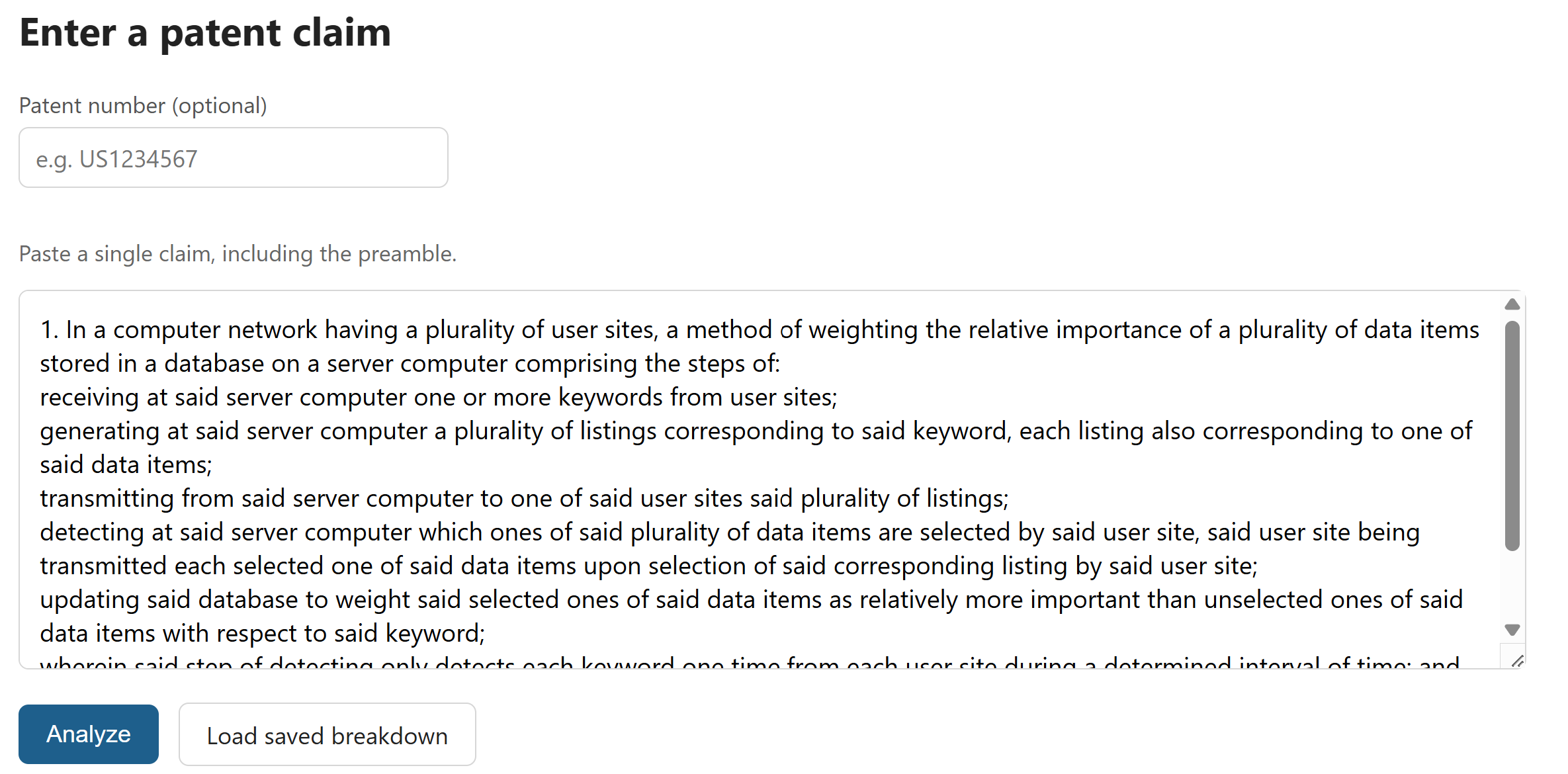
Step 1 — Enter Claim -
Review & Edit. The AI's breakdown appears as
three editable lists — Parts, Steps, and Constraints. Fix
anything that looks wrong, delete what doesn't belong, or add
what's missing; every list is fully editable. Click
Continue when you're happy with it.
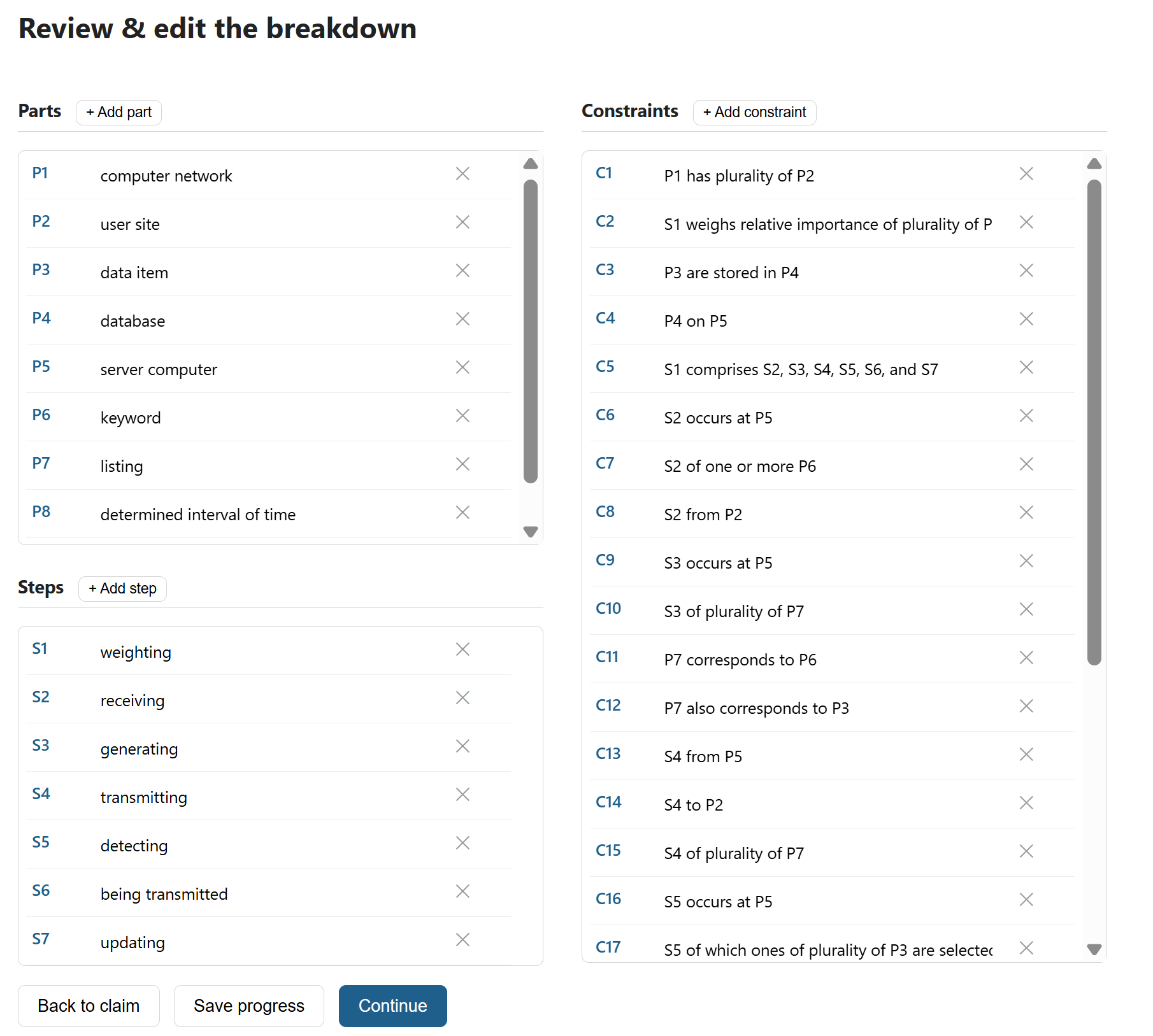
Step 2 — Review & Edit -
Visualize. Every Part and Step is listed on the
left; on the right, Constraints are grouped by the element they
describe — e.g. everything about "S1" clustered together, showing
exactly what S1 connects to. Download the diagram as a PNG if you
want to share it.
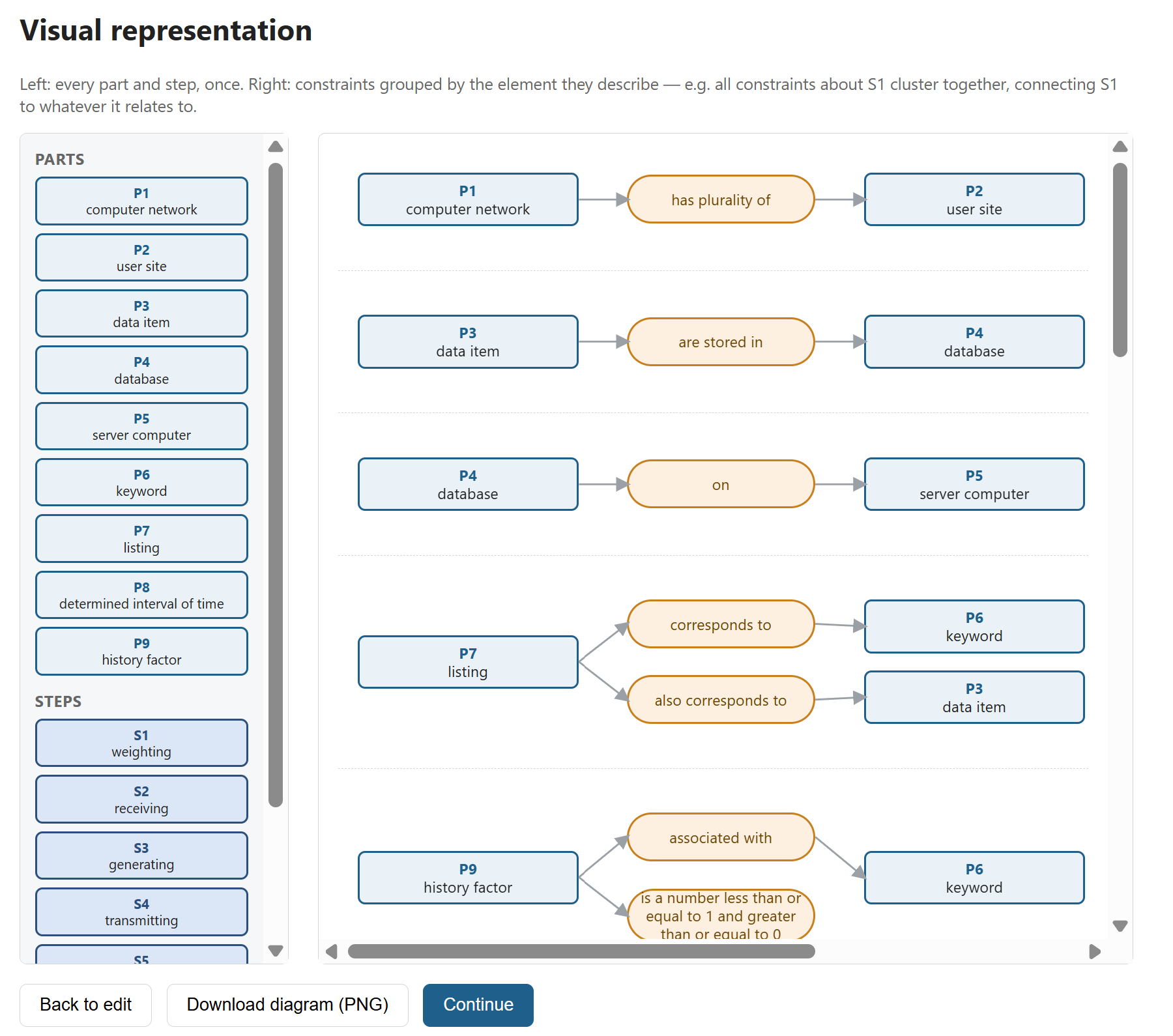
Step 3 — Visualize -
Export Table. Switch between two views:
Conceptual Breakup (the visualization plus tables,
organized the same way as Step 3) and Claim Element
Breakup (the claim split back into its original lines,
cross-referenced with which Parts/Steps/Constraints belong to
each — handy for converting the detailed analysis into a
traditional claim-chart format). Download either view as a
.docx or .pdf worksheet, each with a blank column for your own
invalidity/infringement notes.
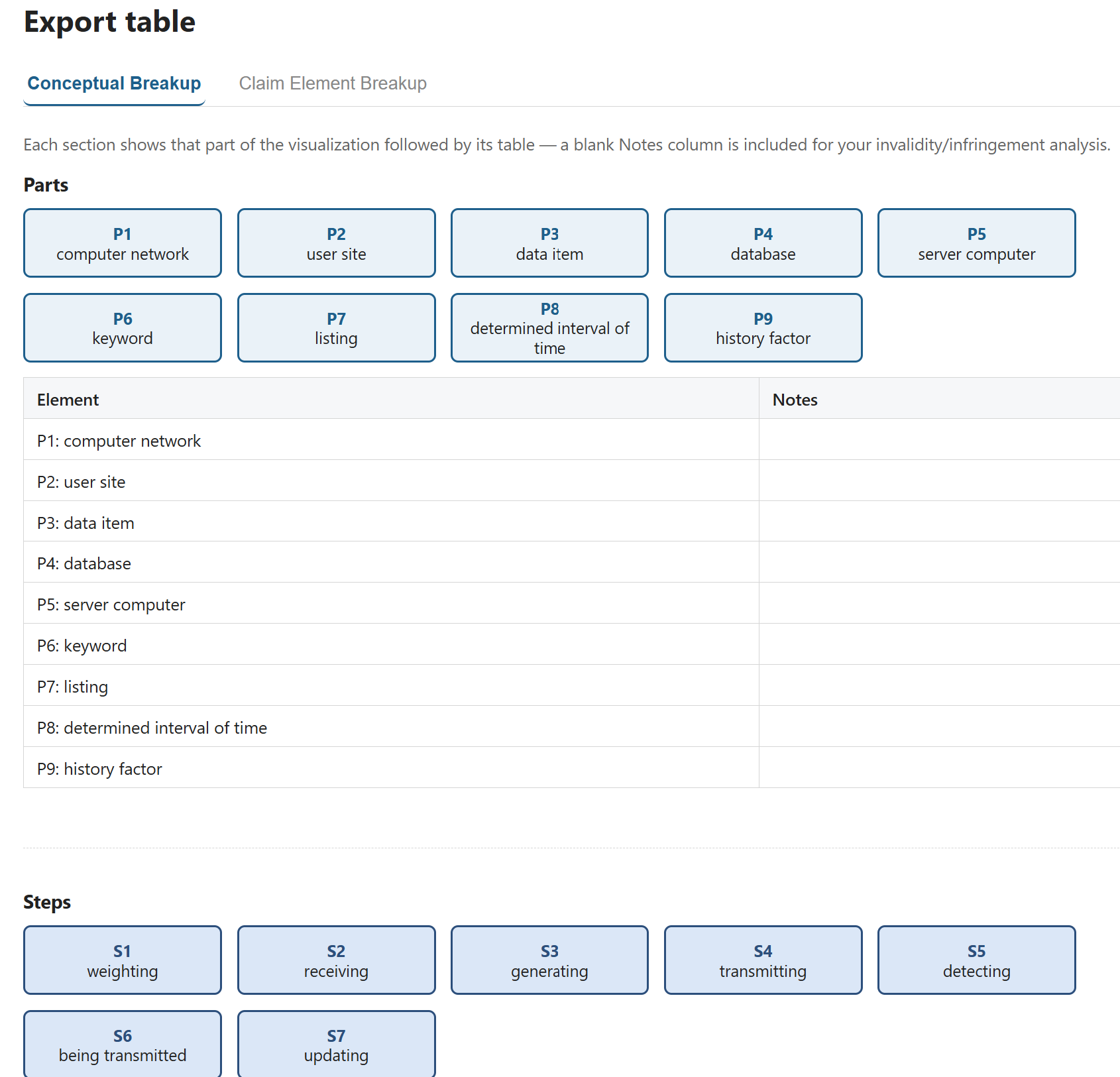
Step 4a — Export Conceptual Table 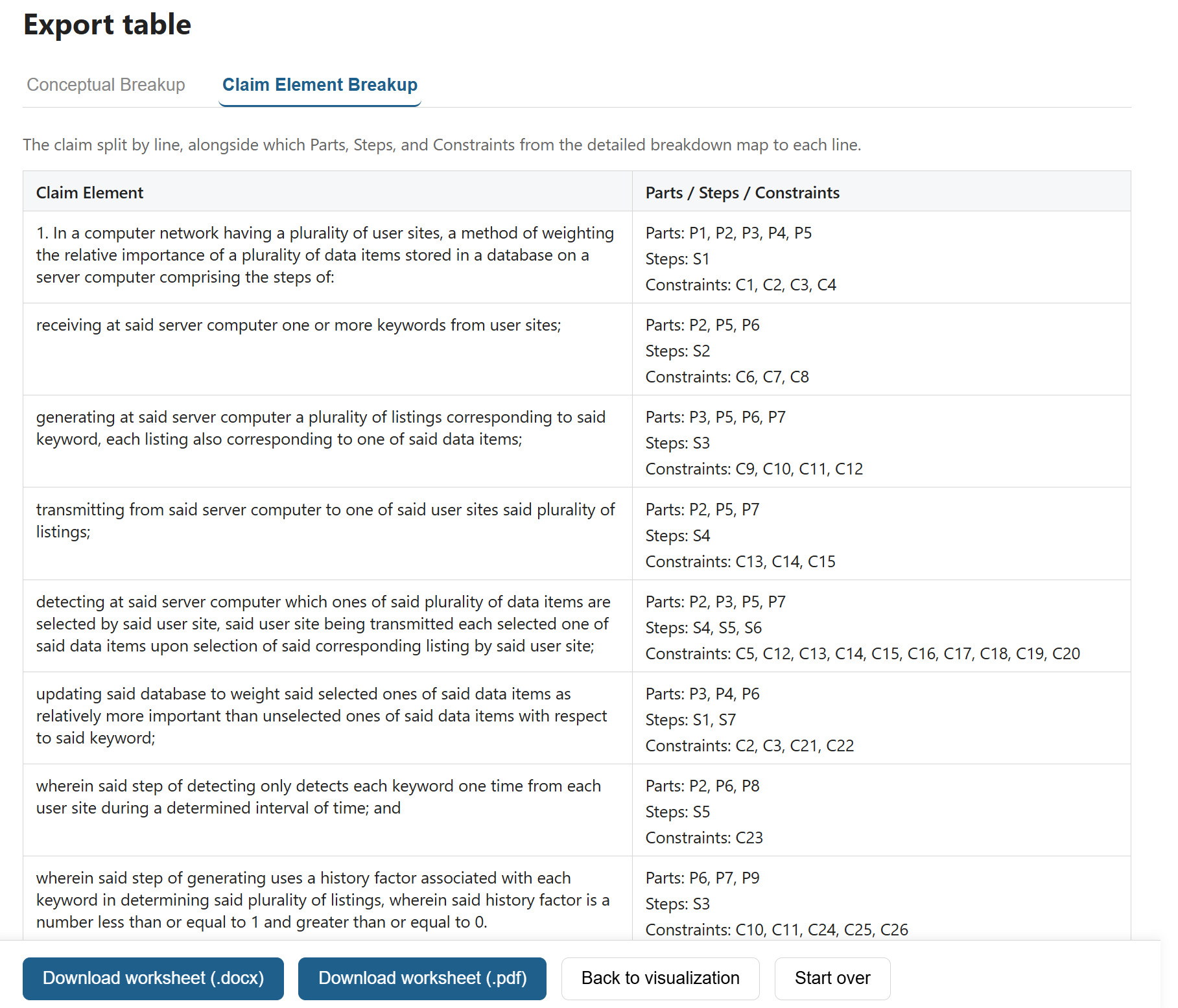
Step 4b — Export Table by Claim Elements
Disclaimer
Demystify Patents is a tool to help you read and understand patent claims more easily — it is not a substitute for legal advice.
The breakdown, visualization, and exported worksheets are generated by a large language model (LLM). LLMs can make mistakes: they may mislabel an element, miss a relationship, misinterpret ambiguous claim language, or produce a constraint that isn't actually supported by the claim text. Always cross-check the output against the original claim before relying on it.
Nothing produced by this tool constitutes legal advice, and using it does not create an attorney-client relationship. For any decision with legal, financial, or business consequences — including invalidity analysis, infringement analysis, prosecution strategy, or licensing — consult a qualified patent attorney.